
Overview
This article summarizes the account login process for users of Trella Health's products. In addition, we have included the process for resetting your password for every Trella Health product.
 In this article
- What URL do I use to log in?
- Summary of the login process with images
- How do I reset my password?
- Mobile Login
- Some Tips
What URL do I use to log in?
Depending on the product, you will need to use one of three URLs to log in.
| Trella Health Product - look for your product | Login URL - use this URL to log in | Notes |
|
All of these applications use the same URL. app.trellahealth.com |
You can think of this as the "Universal" login URL |
|
||
|
||
| Administrator Tools on the Trella Insights Admin page | ||
|
|
If you only have access to Trella CRM, talk to your Customer Success Manager. Check out the metrics in Trella Insights by viewing this webinar. |
Summary of Login process
|
Follow the instructions for the product you want to log in to |
|||
Navigate to the correct URL |
Trella Insights (Even with no Trella CRM) Trella CRM (if you have both) app.trellahealth.com Strategy Strategy.trellahealth.com |
Trella CRM (If you only have CRM) crm.trellahealth.com/Log+In |
|
|
|
The login steps are identical for all three | Login to the Trella platform:CRM has fewer steps, so some rows will be empty. | |
Enter your Email address
The first time you navigate to this URL, you will have a single field to fill out. - Enter your email address into the "Email" field - Click on "Continue to Log in"
|
 |
This step does not exist for Trella CRM Login | |
Enter Email and PasswordThis is where you will be able to enter your email address and your password.
Once you have entered your email address and password, click on "Sign in" or "Log In To Trella CRM" |
|
||
What if my password is wrong?If you put in the wrong password or mistype anything in the email address or password, you will receive the following errors:
Troubleshoot: 1 - Try Again 2 - Click on Forgot your Password? and reset your password. (See below.) 3 - If you are new, it is possible your account was set up with a typo in your email address - send an email to Support@TrellaHealth.com |
|
 |
|
EULA |
Once you log in for the first time you will need to agree to the End User License Agreement (EULA) and the Data Use Agreement (DUA) If you choose to not agree to these agreements, you will not gain the desired access. |
||
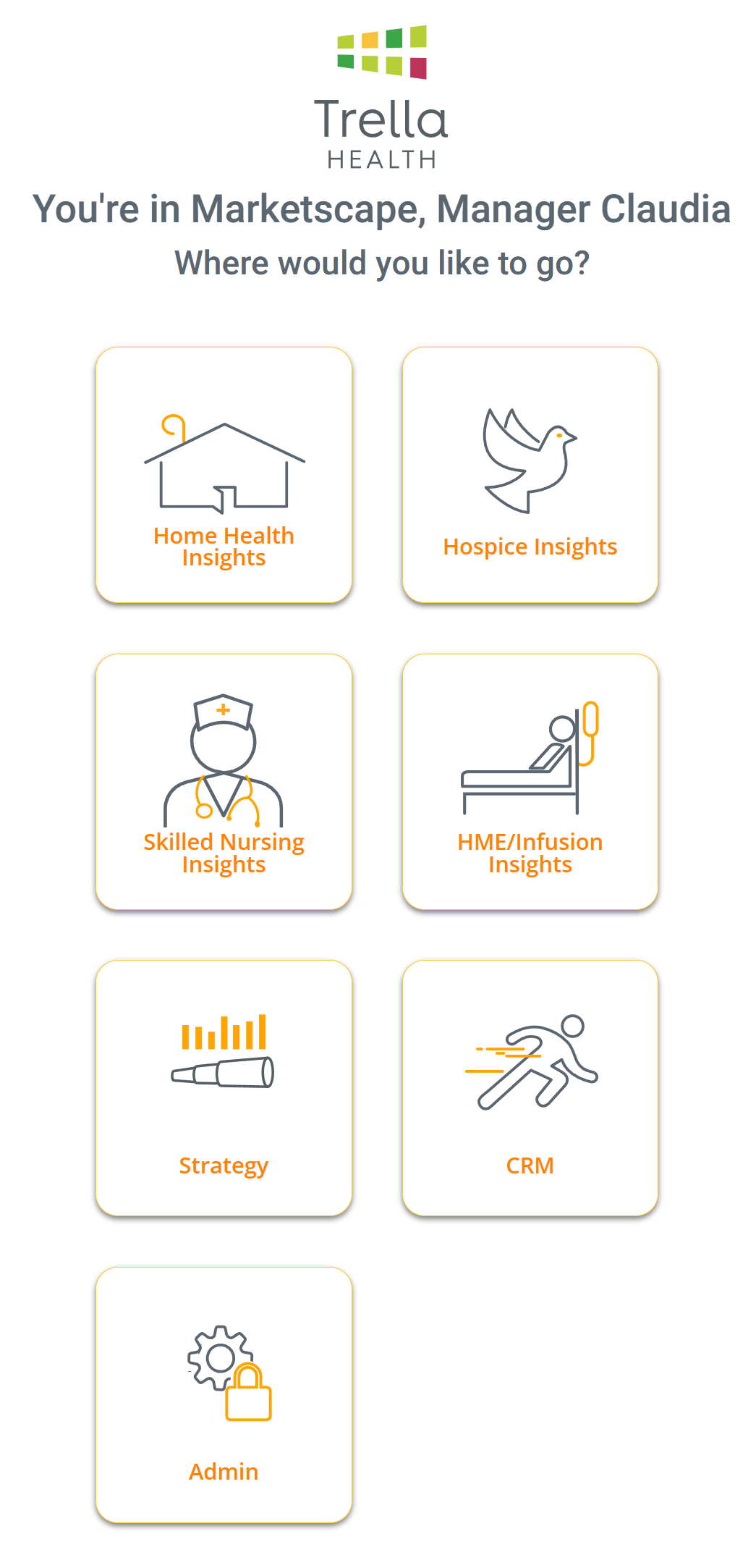
After Login!Trella Insights AND Trella CRM with Trella Insights You will be able to choose which product you want to use (The image to the right shows all options.)
Just Trella CRM - Look at the right column - you are in!
Strategy - Strategy will open up |
|
Trella CRM will open and you can dig right in! |
|
 For techy people, this step checks your email address to see if we should be connecting to your company server to confirm your login credentials with your company.

Success!
Dig in and get stuff done!
Didn't work?
Let's reset your password
How do I reset my password?
|
Follow the instructions to reset your password |
|||
Find your product to the rightUse the instructions in that column |
Trella Insights (Even with no Trella CRM) Trella CRM (if you have CRM and other Products Strategy
|
Trella CRM (If you only have CRM)
|
|
|
|
The password reset steps are identical for all three | You will see the password reset procedure for Trella CRM below | |
Click on "Forgot your Password?"
|
 |
||
|
A new window will appear Enter your email addressThen click on "Reset my password" or "Reset Password." |
|
 |
|
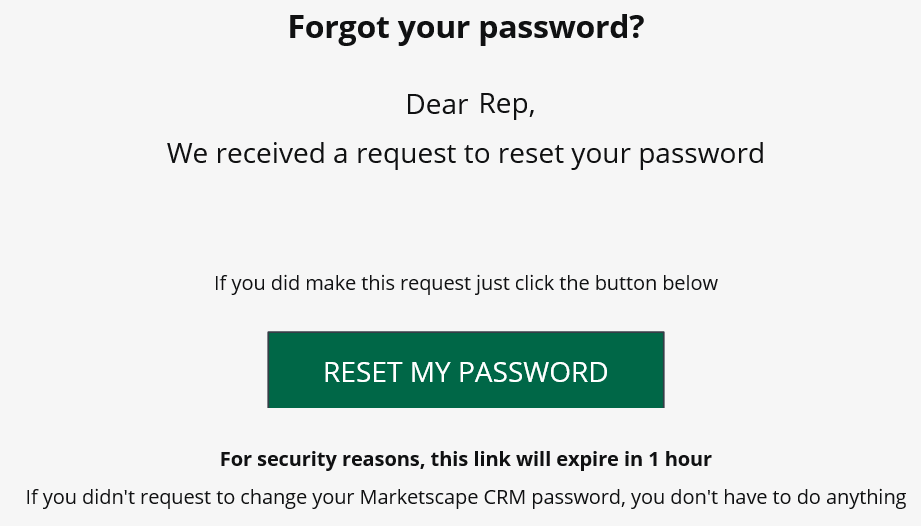
You will receive an email
Either copy the six digit code OR Click on "Reset my Password." |
|
 |
|
|
Follow the InstructionsIn either case, the password requirements are listed.
You will need to enter the same password twice.
|
Enter the six-digit code you copied Create a new password |
Create a new password |
|
|
|
|
||


 If you reset your Trella CRM password at app.trellahealth.com, it will change your password for use at CRM.trellahealth.com as well. Keep it simple - if you have access to Trella CRM and Trella Insights, always use app.trellahealth.com and click on the CRM button If you reset your Trella CRM password at app.trellahealth.com, it will change your password for use at CRM.trellahealth.com as well. Keep it simple - if you have access to Trella CRM and Trella Insights, always use app.trellahealth.com and click on the CRM button |
 |
Resetting your password within the application
Trella CRM
You can reset your password from within Trella CRM.

 Click on "My Profile"
 Click on the "Change Password" button
The following content will open.

 Enter your current password
 Type a new password into each field
 The password requirements are listed.
Trella Insights
You can reset your password from within Trella Insights.
At the top right of the screen, click on your name.

From the selection that drops down, click "Settings."

On the left, click on "Change Password."

You will now be able to enter your old password and a new password.

Click "Change" When you are finished.
 If you have tried resetting your password and just can't log in, send an email to Support@TrellaHealth.com.
Mobile Login for Trella CRM
When you use the Trella CRM mobile app, you will log in using the same email address and password as you use for the desktop version of Trella CRM.
If you have trouble logging in, click on the link "Sign in with SSO" (As shown in the left screenshot, below) That link will take you to the log in interface in the right image.


Attempt to log in again, or, if that doesn't work, click on "Forgot your password?"
Some Tips
Saved passwords
If you use a program to save your passwords, make sure that you update any password changes in the software so your passwords match when you try to log in.
The power of App
As mentioned above, if you need to reset your password, and you reset it at app.trellahealth.com, your password will also be reset for CRM.trellahealth.com.
Problems
| Issue | Solution |
| I don't know which email to use | This should be your company email address. You will need to get in touch with your company's account administrator in order to confirm the email address on your account. |
| I'm new! I don't have an account yet. | You will need to make contact with your company's account manager so they can verify the correct settings and set up your account. |
| I have access to the wrong State! | As long as your company has contracted for the state you want, your account administrator can add access to additional states. |
| I need another Line of Business! | Home Health, Hospice, Skilled Nursing. If you need access to an additional line of business you will need to make contact with your account administrator. |
| I don't know who my Account Administrator is! | Send and email to Trella Health Support and we will track down your company's account Administrator. |
| I can't see the Explore page. | If you have been assigned the role Focused Sales Rep, you will not be able to see the Explore page. You will need to ask your account administrator to gain a higher level of access. |
| Any other Error | If nothing else works, send an email to the Trella Health support team and we will help you. |